Black Friday Math: Is That '40% Off' Deal Actually a Deal?
Three percentage moves that tell you in seconds whether a sale price is a real deal — worked through on the weekend's biggest discounts.

Do the math yourself — free, no signup:
Black Friday was yesterday, and Cyber Monday is this Monday, November 30. Adobe's September 2026 forecast expects $12.9 billion in online spending on Black Friday (up 9.2% on last year) and $15.1 billion on Cyber Monday (up 6.2%) — and with that much money moving, the "40% OFF" banners are everywhere. Some of those deals are real. Some are a higher "was" price with a bigger percentage slapped on it.
The good news: you don't need to trust the banner. Three percentage moves — each one takes seconds — tell you whether a deal is actually a deal. They are the same three moves the percentage calculator does for you.
What the weekend is actually discounting
Adobe's forecast also predicts the peak discounts by category: electronics up to 30% off, with the best deals on Cyber Monday; TVs up to 23% off, peaking on Black Friday; computers up to 23% off on Cyber Monday; toys up to 29% off on Black Friday. Those are forecasts, not guaranteed prices — your store's actual discount will vary — but they are a useful yardstick: if a TV is only 10% off this weekend, it is probably not the deal it claims to be.
Move 1: What do I actually pay?
This is the "Subtract X% from Y" move. Take the original price, subtract the discount, and you have the sale price.
A TV listed at $799 with the forecast peak discount of 23% off:
- $799 - 23% = 615.23 — you pay $615.23.
A laptop at $1,200 with the electronics peak of 30% off:
- 1200 - 30% = 840.00 — you pay $840.
That is the number that matters. The percentage is marketing; the sale price is what leaves your account.
Move 2: How much am I actually saving?
A big percentage can hide a small saving, and a small percentage can hide a big one. "What is X% of Y?" gives you the dollar amount you keep.
- 23% of 799 is 183.77 — the TV saves you $183.77.
- 30% of $1,200 is $360.00 — the laptop saves you $360.
- 40% of $249 is $99.60 — headphones at 40% off save you $99.60, and you pay $149.40.
Here is the same three deals, side by side:
| Original price | Discount | You pay | You save | |
|---|---|---|---|---|
| TV | $799 | 23% | $615.23 | $183.77 |
| Laptop | $1,200 | 30% | $840.00 | $360.00 |
| Headphones | $249 | 40% | $149.40 | $99.60 |
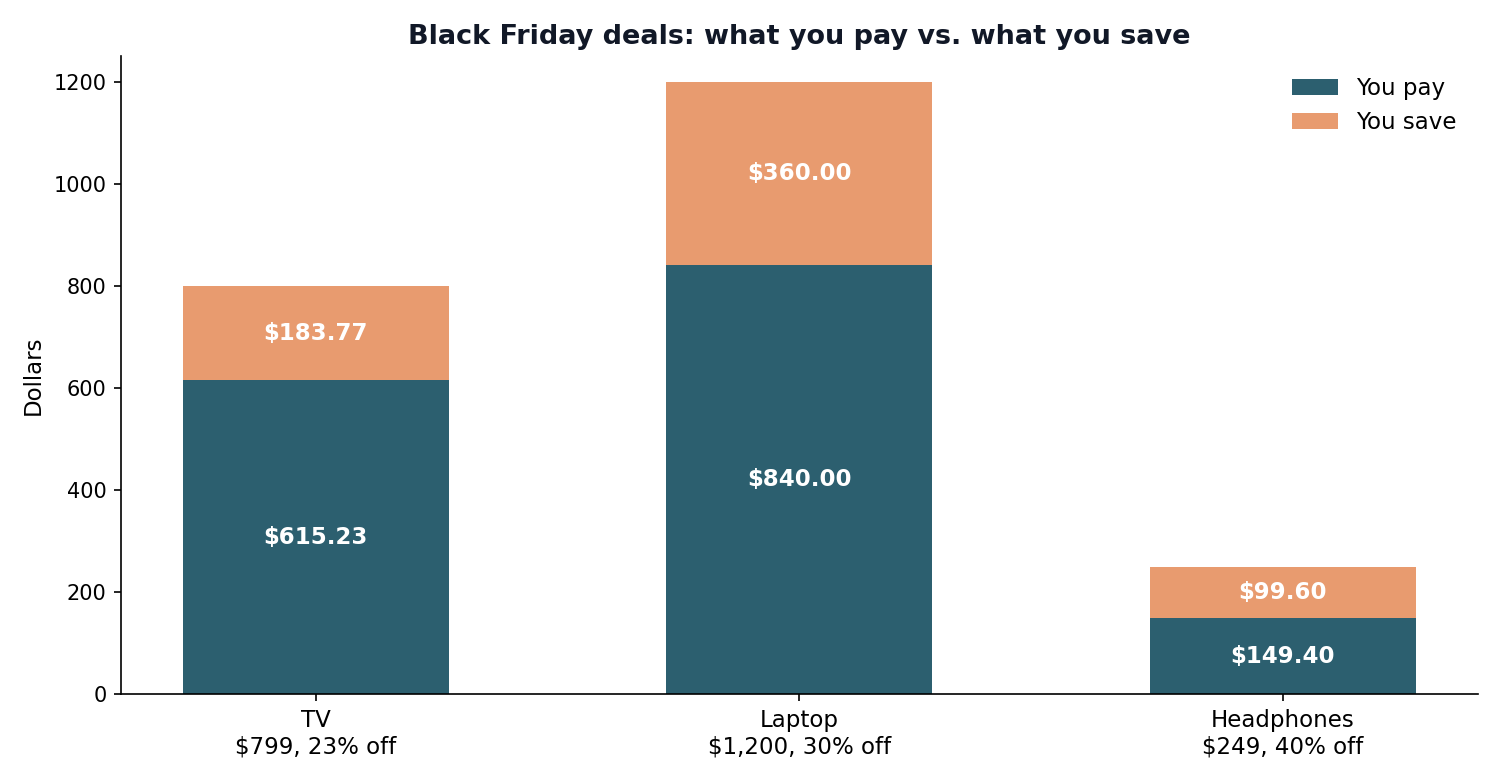
Notice the headphones: the biggest percentage in the table (40%) saves the least money ($99.60). The laptop's 30% saves $360 — nearly four times as much. Percentages only make sense next to the price they apply to.
Move 3: Work backwards from the sale price
Sometimes the store only shows you the sale price. AirPods Pro 3, for example, are on sale at $179 after a 28% discount — but what did they cost before? Divide the sale price by what is left after the discount: $179 ÷ (1 − 0.28) = $248.61 original price. Check it in the calculator and it confirms itself:
- 248.61 - 28% = 179.00
- 28% of 248.61 is 69.61 — the $69.61 you save.
If the store's "was" price says anything much higher than $248.61, the discount is inflated.
The was/now check: is the discount what it claims?
The oldest trick in sale season is raising the "was" price so the discount looks bigger. The "Percentage Change" move catches it. A product listed as "was $499, now $349" claims a 30% discount. Run the numbers:
- Decrease of 30.06% — the real discount is 30.06%, so that one checks out. (And $349 is 69.94% of $499, if you want it the other way round.)
But if the same product's "was" price was $399 last week, the story changes: $399 to $349 is only a 12.53% drop, whatever the banner says. Whenever a discount looks too good, run the was/now check on the price you actually saw before the sale, not the one on the tag.
Try it with your own cart
- Pick an item in your cart and find its pre-sale price — from a price tracker, your memory, or last week's listing.
- Put the discount into the percentage calculator with "Subtract X% from Y" and read off the sale price. Does it match the tag?
- Use "What is X% of Y?" for the dollar amount you save, and compare that across items — the biggest percentage is not always the biggest saving.
- For any "was/now" price, run "Percentage Change" and see whether the claimed discount is real.
Or ask the AI assistant in plain English — "Is $349 a good price for something that was $499?" — and it will walk you through the same checks and explain what the numbers mean.
This is general education, not financial advice. Discount figures quoted from Adobe's September 2026 forecast are predictions, not guaranteed prices, and actual prices and discounts vary by retailer and region. Check the price at the store you are buying from before you decide.
More guides
- When Is My Baby Due? How Due Dates Actually Work — November 18, 2026
- What Pace Do You Need for Your Goal Race? — November 18, 2026
- The $100-a-Month Habit: What Compound Interest Actually Does — November 18, 2026